




Almost every part of modern life is connected to online accounts. Email, banking, shopping, social media, cloud storage, work platforms, entertainment services, and other digital tools all require some form of authentication.
This convenience also makes online accounts attractive targets for cybercriminals.
A compromised account can expose private conversations, personal documents, financial information, photographs, and other sensitive data. In some cases, criminals can use one compromised account to gain access to several others.
Fortunately, improving account security does not require advanced technical knowledge. A combination of strong authentication, careful online habits, and regular security checks can significantly reduce the risk of unauthorized access.
1. Use a Unique Password for Every Important Account
Password reuse is one of the biggest risks to online security.
If you use the same password for multiple services and one company suffers a data breach, criminals may attempt to use the stolen credentials on other websites.
This can turn a single compromised account into several compromised accounts.
Use a different password for every important service.
The strongest passwords are generally long, unique, and difficult to guess. They should not contain obvious information such as your name, birthday, or commonly used phrases.
Remembering dozens of unique passwords can be difficult, which is why a reputable password manager can be useful.
2. Use a Password Manager
A password manager can generate and securely store unique passwords for your accounts.
Instead of remembering every password, you only need to protect the password manager itself with a strong master credential and appropriate security controls.
Many password managers can also identify reused or weak passwords and help users replace them.
This makes it easier to maintain good password practices across a large number of accounts.
If you have been using the same password for many services, changing the passwords of your most important accounts should be a priority.
3. Enable Multi-Factor Authentication
Multi-factor authentication adds an additional security layer beyond the password.
Depending on the service, you might verify your identity using an authentication application, security key, biometric method, or another approved factor.
This means that knowing the password alone may not be enough to access the account.
Enable multi-factor authentication on important accounts whenever it is available.
Prioritize your primary email account, financial services, cloud storage, work accounts, and social media profiles.
4. Protect Your Email Account First
Your email account is often the gateway to many other accounts.
If a criminal gains access to your email, they may be able to request password resets for other services.
This makes email security particularly important.
Use a unique password, enable multi-factor authentication, and regularly review account activity.
Check which devices and applications have access to your email account and remove anything you no longer recognize or use.
5. Be Suspicious of Unexpected Messages
Many account compromises begin with phishing.
A criminal may send an email or message designed to look like it comes from a legitimate company.
The message might claim that there is a problem with your account, payment, delivery, or security.
It may then ask you to click a link and enter your credentials.
Instead of following links in unexpected messages, open the official application or type the organization’s website address yourself.
Be especially cautious when a message creates a sense of urgency.
6. Check Website Addresses Carefully
Before entering a password or financial information, make sure you are using the legitimate website or application.
Attackers can create websites that closely resemble legitimate services.
A convincing logo and familiar-looking design do not prove that a website is genuine.
Check the domain name carefully and avoid entering sensitive information after following suspicious links.
Using official applications and bookmarks for important services can reduce the risk of accidentally visiting fraudulent websites.
7. Keep Devices Updated
Account security also depends on the security of the devices you use to access those accounts.
Operating system and application updates frequently include security fixes.
Delaying updates can leave known vulnerabilities unpatched.
Enable automatic updates where practical and regularly restart devices when necessary to complete updates.
This applies to smartphones, computers, tablets, browsers, and other internet-connected devices.
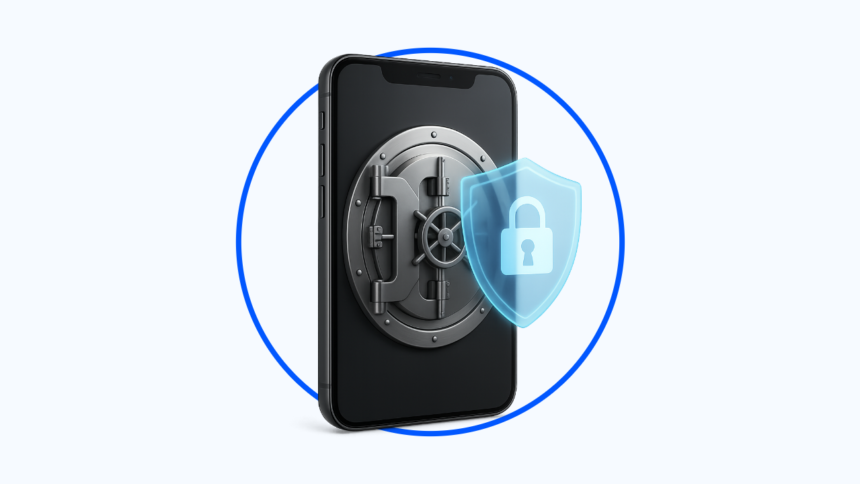
8. Secure Your Smartphone
Smartphones often contain access to many important accounts.
Protect the device with a strong screen lock and keep its software updated.
If your phone is lost or stolen, someone who can easily unlock it may gain access to email, financial applications, authentication tools, and personal information.
Use available biometric authentication or a strong PIN where appropriate.
You should also enable device-location and remote-wipe features if your operating system provides them.
9. Review Logged-In Devices
Many online services allow users to see which devices are currently signed into their accounts.
Review these lists periodically.
If you see an unfamiliar computer, smartphone, browser session, or location, investigate it.
If you cannot identify the session, sign it out and change the password if necessary.
This is particularly useful after using a public or shared computer.
10. Remove Old Applications and Connections
Over time, people often grant access to numerous third-party applications.
Some may be services that were used once and forgotten.
Old connections can create unnecessary security risks.
Review the applications and services connected to your important accounts.
Remove access from anything you no longer use or recognize.
This limits the number of external services that can interact with your account.
11. Avoid Saving Passwords on Shared Computers
Saving passwords can be convenient on a personal device.
However, shared or public computers are different.
Avoid allowing browsers to save passwords when using a computer that other people can access.
After using a shared device, sign out of accounts and avoid storing personal information locally.
For highly sensitive accounts, it is generally better to use a trusted personal device whenever possible.
12. Be Careful With Public Wi-Fi
Public Wi-Fi can be useful, but users should be cautious when accessing sensitive accounts.
Avoid connecting automatically to unknown networks.
When using public internet connections, make sure your device and browser are appropriately secured.
For particularly sensitive activities, using a trusted network or appropriate security technology can reduce unnecessary risks.
13. Do Not Share Authentication Codes
Criminals sometimes attempt to trick victims into providing verification codes.
A scammer might claim to be from a bank, technology company, delivery service, or even a friend.
They may ask you to provide a code that has just arrived on your phone.
Never share authentication codes with someone who contacts you unexpectedly.
If someone has requested a code, verify the situation independently through the official service.
14. Monitor Financial Accounts
Financial accounts deserve additional attention.
Review bank and payment-account activity regularly and enable transaction notifications where available.
Unexpected charges or account changes should be investigated promptly.
Fast detection can reduce the potential impact of unauthorized activity.
Avoid accessing financial services through links contained in unexpected emails or messages.
Instead, use the official application or website.
15. Secure Your Social Media Accounts
Social media accounts can contain years of personal information.
They may also be used to impersonate you or target your contacts.
Use strong, unique passwords and multi-factor authentication.
Review privacy settings and account recovery options.
Be cautious about publicly sharing information that could help someone guess passwords or answer security questions.
16. Keep Recovery Information Up to Date
Account recovery methods are important if you lose access to a password or authentication method.
Make sure your recovery email address and phone number are current.
If you have changed your phone number or stopped using an old email address, update your accounts.
Otherwise, you could discover that your recovery information is no longer useful when you need it.
17. Recognize Social Engineering
Not every cyberattack depends on sophisticated technology.
Social engineering involves manipulating people into revealing information or performing actions that benefit an attacker.
A criminal may pretend to be a colleague, customer, family member, technical-support employee, or company representative.
The strongest defense is to slow down.
If someone asks for sensitive information, payment, credentials, or an authentication code unexpectedly, verify their identity through another channel.
18. Back Up Important Information
Account security is important, but protecting your information also requires backups.
Important documents, photographs, and other files should not exist in only one location.
Maintain appropriate backups so that you can recover important information if an account or device becomes inaccessible.
Backups can also reduce the impact of ransomware and hardware failure.
19. Review Security Alerts
Many services notify users about suspicious logins, password changes, new devices, or unusual activity.
Do not automatically dismiss these notifications.
If you receive an alert that you do not recognize, investigate it through the official service.
If an account appears compromised, change the password, terminate unfamiliar sessions, review connected applications, and check whether other account settings were changed.
20. Make Security a Regular Habit
Online security is not a one-time project.
Technology changes, new accounts are created, old applications are forgotten, and new threats appear.
Set aside time occasionally to review your important accounts.
Check passwords, authentication settings, connected devices, recovery information, and recent activity.
A short security review can prevent small problems from becoming much larger ones.
Conclusion
Protecting online accounts is increasingly important because so much personal and professional information is stored digitally.
The strongest defense is not one particular security product. It is a combination of good practices.
Use unique passwords, protect them with a password manager, enable multi-factor authentication, secure your email account, recognize phishing attempts, keep devices updated, review account activity, and remove unnecessary third-party access.
Most importantly, develop the habit of questioning unexpected requests for passwords, payments, verification codes, or sensitive information.
Cybercriminals often rely on speed and human error. Taking a moment to verify a suspicious request can make a significant difference.
As online accounts become more central to everyday life, good cybersecurity habits are no longer optional extras. They are an essential part of protecting your digital identity.